Create new filter in the Gmail.
Create new filter in the Gmail.
Create new filter in the Gmail.
1. Open the gmail.com tab in your web browser and click “Manage labels”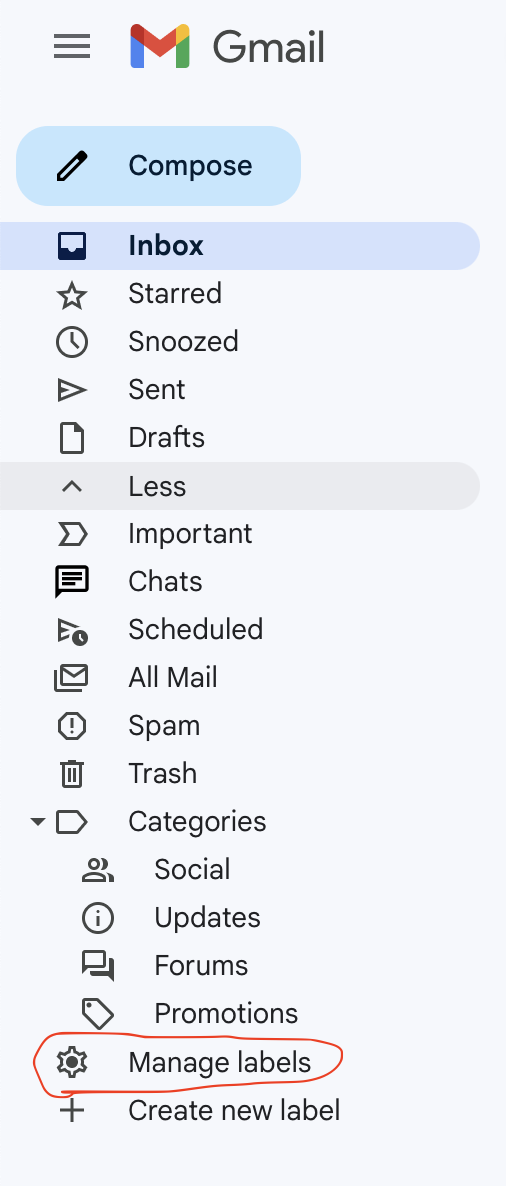
2. In the Settings open “Filters and Blocked Addresses” 
3. Press the “Create a new filter”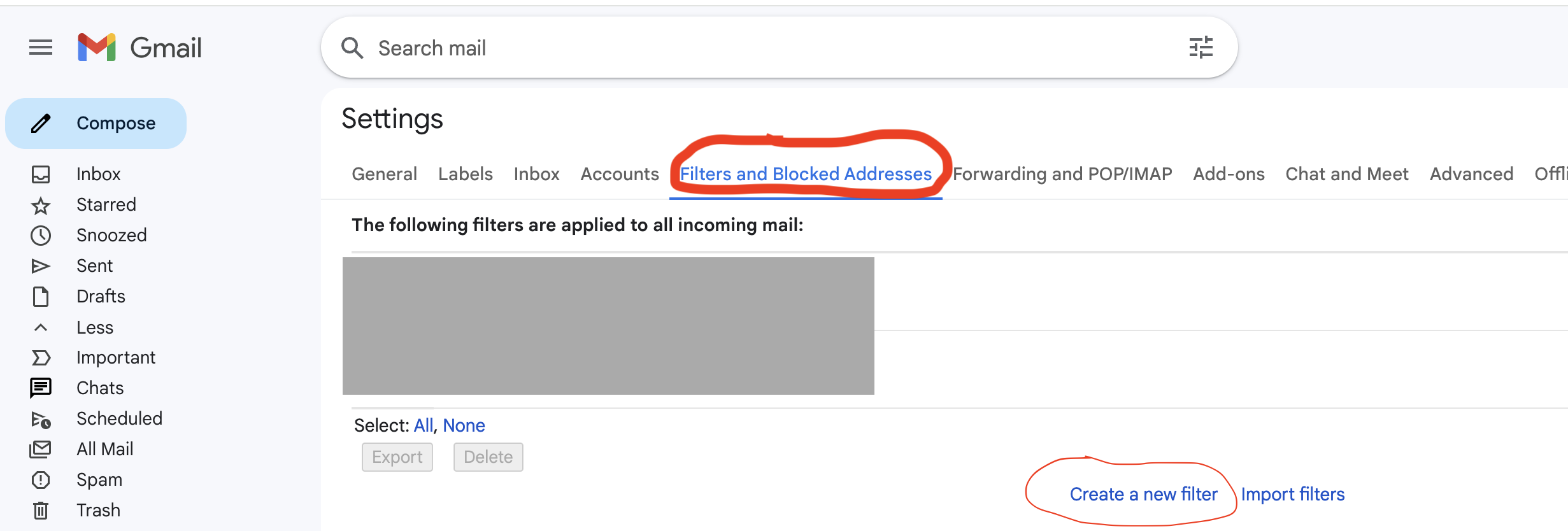
4. In the “Has the words” add word “larch” then press “Create filter” button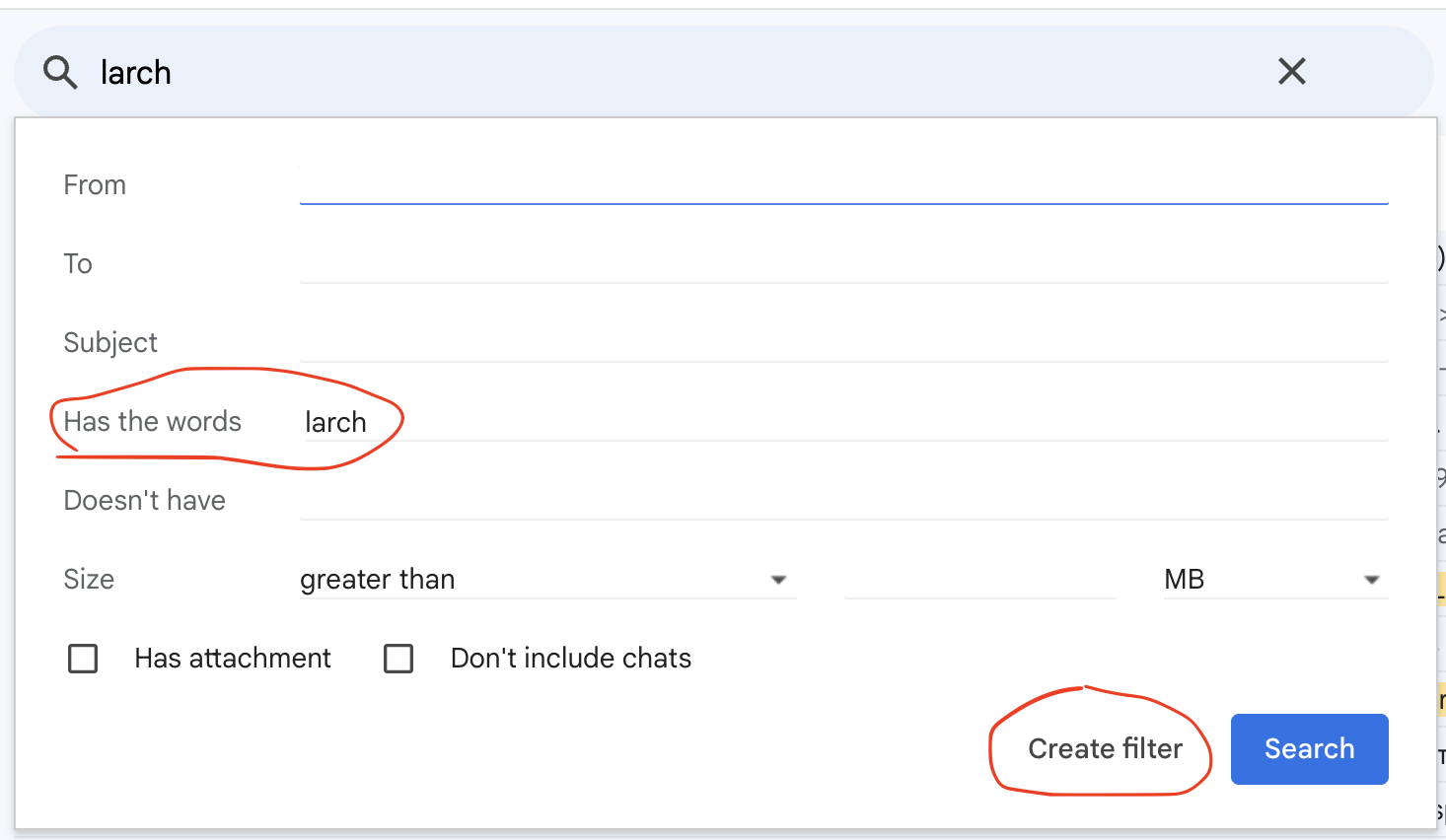 5. Mark “Never send it to Spam” and pres “Create filter” button
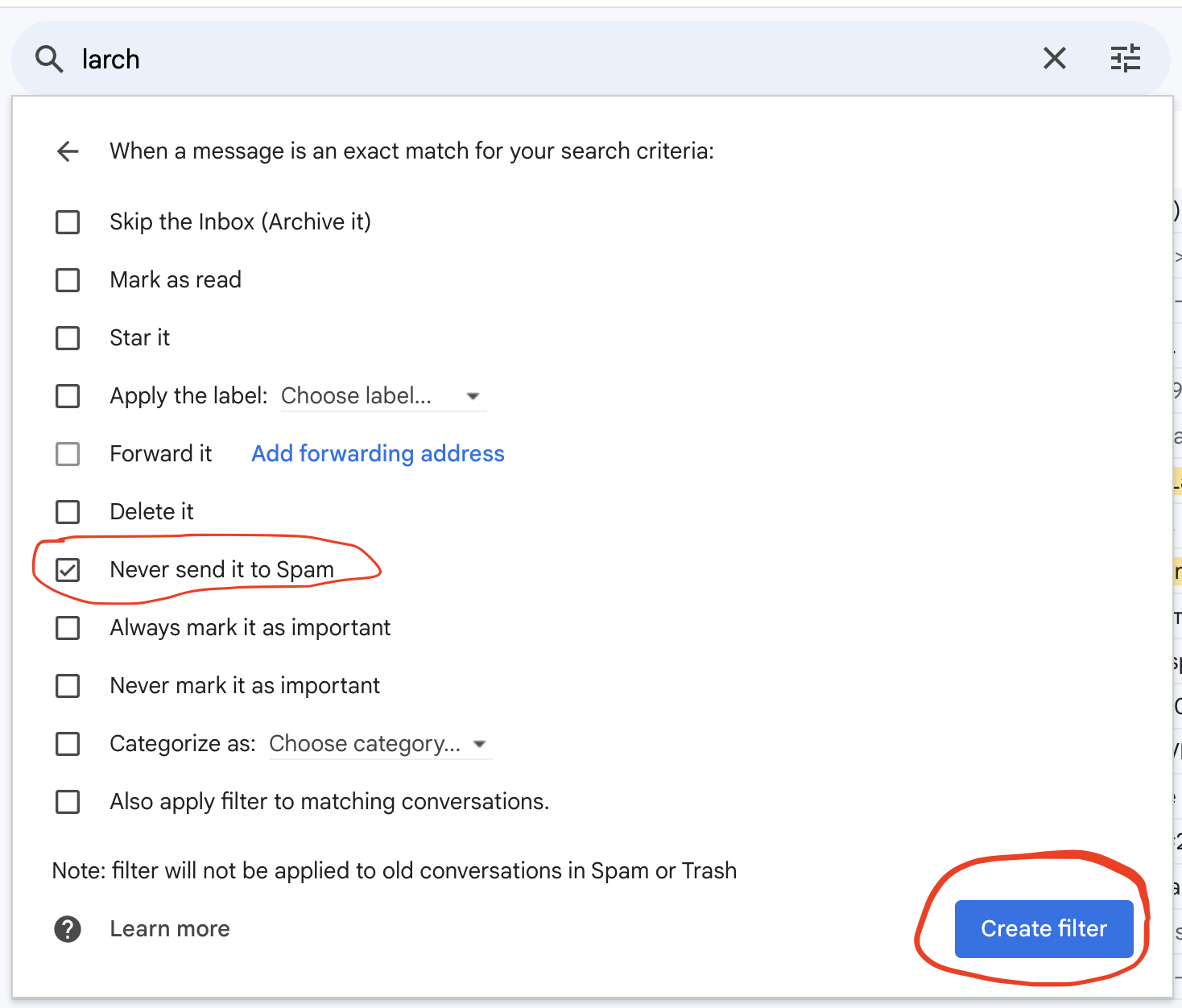
6. If everything is correct you can see new filter “Matches: larch”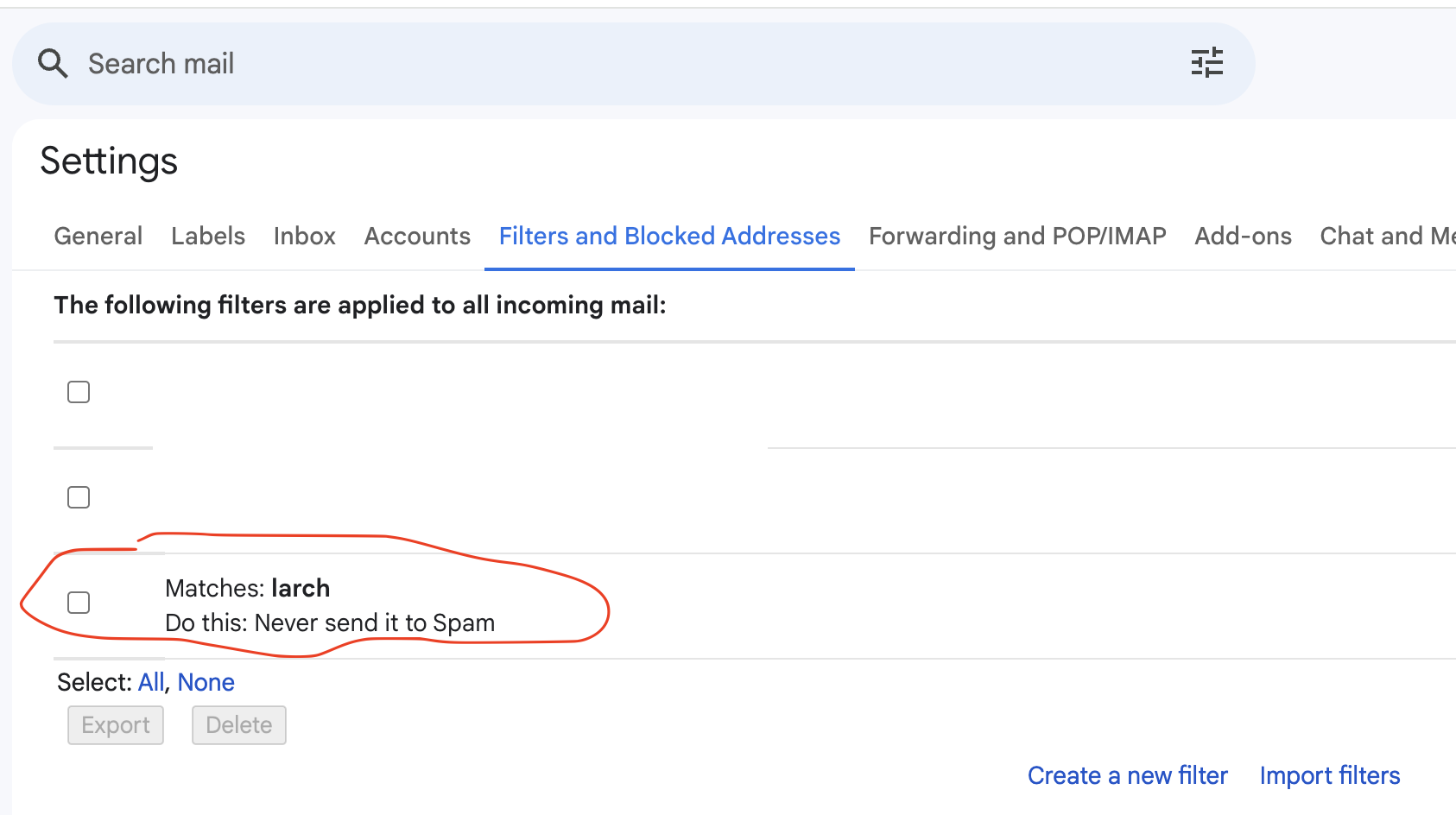 All new emails with text “larch” never be sent into “Spam” folder again.